What Is The Akira Ransomware, And Why Has The Government Issued A Warning Against It?
Relevance: GS3 - Science and Technology- developments and their applications and effects in everyday life, Awareness in the fields of IT, Computers
(Source: The Hindu, 07/29/2023)
Click here for Daily Current Affairs
Why in the news?
- Recently, CERT-In issued a warning for the ransomware “Akira” which can steal and encrypt data on both Windows and Linux devices.
- It has already targeted multiple victims, mainly from the U.S.A., and has an active website with information about its most recent data leaks.
Table of Contents
What is Akira?
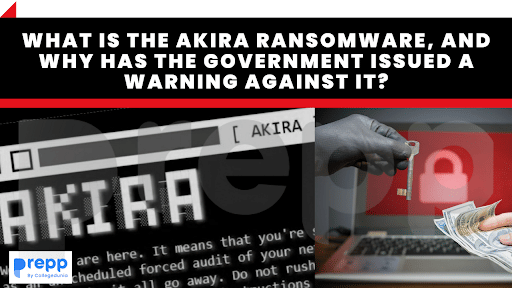
- Akira is a ransomware that is designed to encrypt data, create a ransom note, and delete Windows Shadow Volume copies on the devices.
- Naming: It has been named Akira as it modifies the file name of the encrypted files by adding the extension “.akira”.
- It is designed to shut down any Windows services and close processes that could prevent it from encrypting files on the device.
- VPN services are used to trick users into downloading malicious files, especially if the user has not activated two-factor authentication.
- The group behind Akira threatens users with releasing their private data on the dark web unless they comply with the large ransom requests.
How does it work?
- It deletes the Windows Shadow Volumes, which helps ensure that the data used by organizations in their applications for day-day functioning can be backed up.
- It also deletes the VSS files which facilitates communication between different components without having to take them offline.
- Vss Files ensures that data is backed up and also available for other functions.
- After deleting the VSS files, other files in the system are encrypted with the .akira extension.
- It uses the Windows Services Manager to terminate all active Windows processes to ensure that the encryption process is not interrupted.
- Folders that play a critical role in system stability such as Program Data, Recycle Bin, Boot, and System Volume Information.
- Windows systems files with extensions such as .syn,.msl, and .exe.
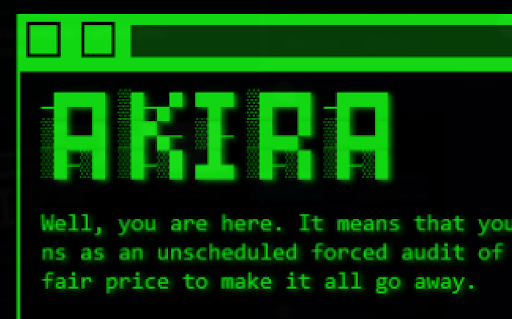
- Following encryption, a note named “akira_readme.txt” containing information about the leak and the link to Akira’s negotiation site is left behind for the user.
- The Tor site can only be accessed by a password unique to each customer.
- It only contains a chat system for communication between the victim and the threat perpetrators.
Targets
- Akira has targeted corporate networks across a wide spectrum of domains such as education, manufacturing, real estate, finance, and consulting.
- It spreads laterally to other devices after breaching the corporate network and gaining Windows admin credentials.
- The stolen data, which is usually corporate data of a sensitive nature, can be used to extort large ransoms from corporations who wish to prevent the data from being leaked.
How does ransomware infect devices?
- Spear phishing emails with malicious attachments as zip/rar files.
- Drive-by download
- Unintentional download as a result of a cyber-attack.
- Special web links which download malicious code
- Insecure remote desktop connections
What are the ways that users can protect themselves from Akira?
- To ensure security against ransomware, users must adhere to basic internet hygiene and protection protocols.
- The most important is to maintain secure and up-to-date backups of critical information to prevent loss of data.
- Ensure regular updation of all networks and operating systems with virtual patching performed for legacy systems and networks.
- Establish Domain-based Message Authentication, Reporting, and Conformance, DomainKeys Identified Mail (DKIM), and Sender policy for organizational email validation
- This prevents spam through email spoofing detection.
- Secure passwords and multifactor authentication
- Strict external device usage policy
- Data-at-rest and data-in-transit encryption
- To prevent downloading of malicious code, attachment file types like .exe, .pif, or .url should be blocked.
- Periodic security audits of critical systems such as data networks.
CERT-In
|
(*Click this link to read prelims specific weekly current affairs articles)
FAQs
Question: What is ransomware?
Answer:
Malware designed to deny a user or organization access to files on their computer is called Ransomware. Attackers encrypt these files and demanding a ransom payment for the decryption key or threaten to release the often sensitive data or withhold access to the device.
Question: What is spear phishing?
Answer:
Spear-phishing is a type of phishing attack that targets specific individuals or organizations typically through malicious emails. It aims to steal sensitive information such as login credentials or infect the targets' devices with malware.
MCQ
Question: Consider the following statements:
- The Cyber Swachatha Kendra scheme was launched by MeitY for botnet cleaning and malware analysis.
- It is operated by CERT-In.
Which of the above statements is/are correct?
(a) 1 only
(b) 2 only
(c) 1 and 2
(d) None
Answer: (c) See the Explanation
- The Cyber Swachata Kendra was launched by MeitY to create a secure cyber space by detecting botnet infections and notifying, enabling cleaning, and securing systems of end users so as to prevent further malware infections. Hence statement 1 is correct.
- It is being operated by the Indian Computer Emergency Response Team (CERT-In) under Section 70B of the IT Act, 2000, and is compliant with the objectives of the National Cyber Security Policy, 2013. Hence statement 2 is correct.
Therefore, option (c) is the correct answer.
Download the PREPP App and attempt FREE IAS Exam Mock Tests and get complete study material!
UPSC IAS : GS - Indian Polity - Subject Knowledge Test

Live Test : UPSC CSE Prelims CSAT (Paper-II) (Nov 01 - 04)
Full Test - 05: UPSC CSE Prelims CSAT (Paper-II)
Full Test - 04: UPSC CSE Prelims CSAT (Paper-II)
UPSC CSE Prelims 2026 GS Paper 1 Question Paper (24-May-2026)
UPSC CSE Prelims 2026 CSAT Paper 2 Question Paper (24-May-2026)

17 February 2025 | The Hindu Must Read Articles | Current Affairs

16 February 2026 | The Hindu Must Read Articles | Current Affairs

13 February 2026 | The Hindu Must Read Articles | Current Affairs









Comments