SSC MTS Correction Window 2025 Opened: Correct Application Form till August 6
SSC had opened SSC MTS 2025 application process from June 26 to July 24, 2025. For candidates who have already applied, the commission has now activated SSC MTS application correction window, available from August 4 to August 6, 2025, until 11:00 PM. This facility allows applicants to review and rectify any mistakes or discrepancies in their submitted forms before finalizing their application details. Only specific fields may be editable, and no modifications will be entertained after the deadline. Applicants are strongly advised to check their information carefully and make necessary changes within the given timeframe to ensure a smooth recruitment process.
SSC MTS 2025 Important Dates
| Events | Dates |
|---|---|
| SSC MTS Notification Release Date | 26th June 2025 |
| SSC MTS Online Application Date | 26th June 2025 |
| Last Date to Apply for SSC MTS | 24th July 2025 (till 11:00 PM) |
| Last Date for Online Fee Payment for SSC MTS | 25th July 2025 (till 11:00 PM) |
| Window for SSC MTS Application Form Correction | 4th August 2025 - 6th August (till 11:00 pm) |
Documents Required for SSC MTS 2025 Application
SSC MTS eligible candidates must keep the following documents ready before filling out SSC MTS application form:
- Scanned Passport-Sized Photograph (in JPEG format, 20 KB to 50 KB, taken within the last 3 months with the date printed)
- Scanned Signature (in JPEG format, 10 KB to 20 KB, in black ink on white paper)
- Class 10 Certificate/Marksheet (for roll number and educational verification)
- Valid Photo ID Proof (Aadhaar Card, PAN Card, Voter ID, Passport, or Driving License)
- Category Certificate (if applicable – SC/ST/OBC/EWS)
- Disability Certificate (for PwBD candidates, if applicable)
- Ex-Servicemen Certificate (if claiming ESM status)
- Banking Details (for fee payment via net banking, UPI, or card)
All documents should be uploaded in the correct format and size as specified by SSC. Incorrect or blurred uploads may lead to application rejection.
SSC MTS 2025 Application Process
SSC MTS 2025 eligible candidates must follow this application process to apply successfully for SSC MTS 2025 exam:
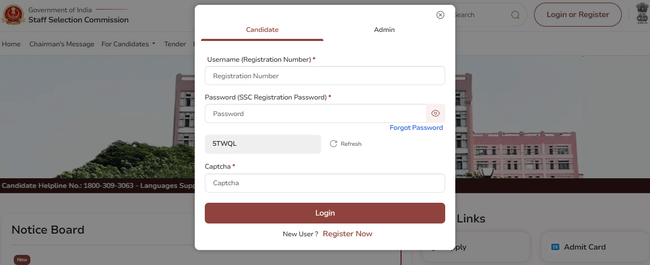
Step 1: One-Time Registration
Candidates must first complete the one-time registration on the SSC portal.
- Visit ssc.gov.in and click on the “Register Now” link.
- Fill in the basic details such as name, father’s name, mother’s name, date of birth, gender, and other personal information.
- Provide Class 10 examination details like roll number, year of passing, and board name.
- Enter valid mobile number and email ID. An OTP will be sent for verification.
- Upload scanned copies of the photograph and signature as per SSC’s specifications.
- Photograph: JPEG format, 20 KB to 50 KB, taken within the last 3 months.
- Signature: JPEG format, 10 KB to 20 KB, in black ink on white paper.
- Submit and save the Registration ID and password for future logins.
Click here to apply online for SSC MTS 2025
Step 2: Filling the Application Form
Once registration is complete, candidates need to log in and fill out the SSC MTS 2025 application form.
- Log in using the Registration ID and password.
- Click on the “Apply” link for SSC MTS 2025.
- Fill in details such as category, nationality, disability status (if applicable), and educational qualification.
- Choose three preferred exam centres from the available list.
- Verify all the filled-in details carefully before final submission.
Step 3: Uploading Additional Documents
Candidates must upload:
- Recent passport-sized photograph (not older than 3 months, with the date printed).
- Signature image.
- Disability certificate (if applicable).
- Other category-related certificates (e.g., SC/ST/OBC/EWS) in PDF format, if applicable.
Step 4: Application Fee Payment
- Fee: ₹100 for General and OBC category candidates.
- Exempted Categories: No fee is required for SC, ST, PwBD, Ex-Servicemen, and female candidates.
- Payment Mode:
- Online: Debit Card, Credit Card, Net Banking, or UPI.
- Offline: SBI Challan (only during bank working hours, and only if generated before the online deadline).
Step 5: Final Submission
- After successful payment, candidates must click “Final Submit”.
- Once submitted, the application cannot be modified.
- Candidates should download and save the application form and fee receipt for future reference.
SSC MTS Application Form Correction Window
SSC will open a correction window for candidates who made errors in their submitted form.
- Correction Dates: 10 August to 11 August 2025 (till 11 PM).
- Correction Fee:
- ₹200 for the first correction.
- ₹500 for the second correction.
- Only two corrections are allowed.
- The correction fee is non-refundable.
- After making corrections, candidates must resubmit the application and save the final version.
SSC MTS 2025 Application FAQs
Ques. What are the reasons for the rejection of the SSC MTS Application Form 2025?
Ans. There are a few common reasons for rejection, like – failed payment or incorrect details entered in the application form. The form will be considered invalid and will be rejected.
Ques. How many stages does the SSC MTS exam have?
Ans. There are two stages in the SSC MTS exam. There is Paper I, which is a computer-based test and PET for the post of Havaldar. Paper II is a descriptive test.
Ques. Can girls apply for the SSC MTS 2025 exam?
Ans. Yes, girls are also eligible to apply for SSC MTS 2025. They have to be within the age group of 18-25 years for multitasking and Havaldar post, their age should be within 18-27 years.
Ques. Is it possible to make corrections to the application form?
Ans. Yes, it is possible to modify or make corrections to the application form. The Commission opens the correction window for two days during which candidates are allowed to make changes to their submitted application form.
Ques. What details to enter while filling out the SSC MTS Application Form 2025?
Ans. The details that candidates have to enter while filling out the SSC MTS 2025 Application Form are:
- Basic Information
- Personal Information
- Communication Details
- Educational Qualification
Download the PREPP App and attempt FREE SSC MTS Mock Tests and get complete study material!

Mini Test - 50 : SSC MTS 2025 (Latest Pattern)
Mini Test - 49 : SSC MTS 2025 (Latest Pattern)
SSC MTS 2024 Question Paper (30-Oct-2024) (Shift-2)
SSC MTS 2024 Previous Year Paper (Sep 30, 2024) (Shift 3)

17 February 2025 | The Hindu Must Read Articles | Current Affairs

16 February 2026 | The Hindu Must Read Articles | Current Affairs

13 February 2026 | The Hindu Must Read Articles | Current Affairs









Comments