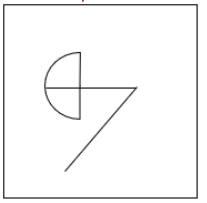
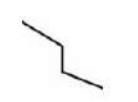
Select the option in which the given figure is embedded (rotation is NOT allowed).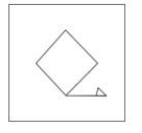
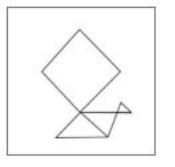
To solve the problem of finding which option contains the embedded figure, we need to carefully observe the given figure and the options provided.
Given Figure:
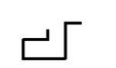
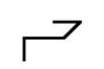
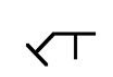
Options:
Steps to solve:
- Identify the key unique shapes and patterns in the given figure. In this case, observe the diamond and the line with a small triangle at its end.
- Compare each option to see if the given figure's pattern is present exactly the same without any rotations.
- Inspect Option 2:
- Check the presence of the diamond shape and the line with a small triangle ending.
- The pattern matches exactly with the given figure without any rotation.
- Verify that the other options do not contain the same pattern as the given figure without rotation.
Conclusion:
Option 2 is the only image where the given figure is embedded without any rotation.
Similar Questions
Select the option figure in which the given figure is embedded as its part (Rotation is NOT allowed).
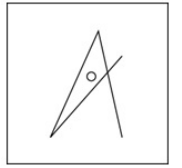
Select the option figure in which the given figure is embedded as its part (rotation is NOT allowed).
Select the option in which the given figure is embedded (rotation is NOT allowed).
Select the option in which the given figure is embedded (rotation is NOT allowed).
Select the option in which the given figure is embedded (rotation is NOT allowed).

Select the option in which the given figure is embedded (rotation is NOT allowed).
Select the option in which the given figure is embedded (rotation is NOT allowed).
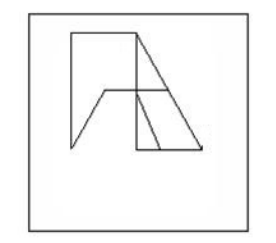
Select the option figure in which the given figure (X) is embedded as its part (rotation is NOT allowed).
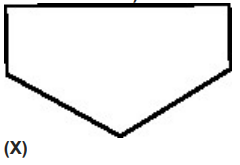
Select the option figure in which the given figure is embedded (rotation is NOT allowed).
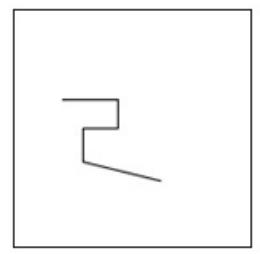
Select the option figure in which the given figure (X) is embedded as its part (rotation is NOT allowed).
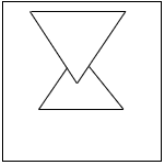
Important Questions from Hidden/ Embedded Image
Select the option figure in which the given figure (X) is embedded (rotation is NOT allowed).
Select the option figure in which the given figure (X) is embedded (rotation is NOT allowed).
From the given option figures, select the one in which the question figure is hidden/embedded. (rotation is NOT allowed)
Select the option figure in which the given figure is embedded as its part (Rotation is NOT allowed).
Select the option figure in which the given figure is embedded as its part (rotation is NOT allowed).