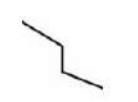
Select the option figure in which the given figure (X) is embedded as its part (rotation is NOT allowed).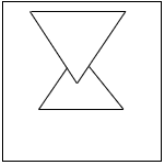
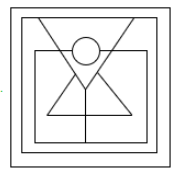
To solve this problem, we need to identify where the given figure (X) is embedded as a part of one of the options without applying any rotation. The steps to solve this are as follows:
- Examine the given figure (X) carefully and take note of its unique features, such as the shape and positioning of lines.
- Compare the given figure against each of the options to see if it appears exactly as is within any of the figures.
- Since rotation is not allowed, ensure that the orientation of the figure is the same in both the given image and the option.
- Upon close examination, the given figure (X) is found to be embedded in the third option image:
This option contains the exact same figure as given, without any change in orientation or form. Thus, this is the correct answer.
Similar Questions
Select the option figure in which the given figure is embedded as its part (Rotation is NOT allowed).
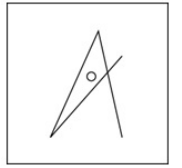
Select the option figure in which the given figure is embedded as its part (rotation is NOT allowed).
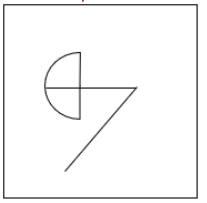
Select the option in which the given figure is embedded (rotation is NOT allowed).
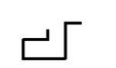
Select the option in which the given figure is embedded (rotation is NOT allowed).
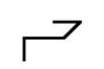
Select the option in which the given figure is embedded (rotation is NOT allowed).

Select the option in which the given figure is embedded (rotation is NOT allowed).
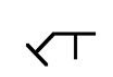
Select the option in which the given figure is embedded (rotation is NOT allowed).
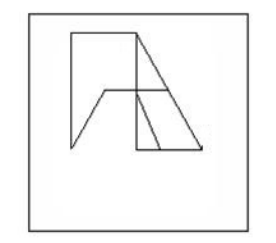
Select the option figure in which the given figure (X) is embedded as its part (rotation is NOT allowed).
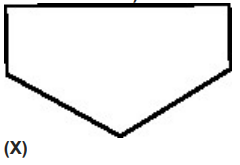
Select the option figure in which the given figure is embedded (rotation is NOT allowed).
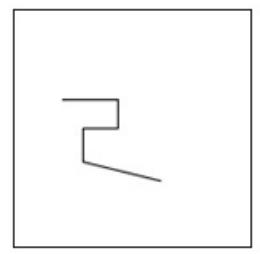
Select the option in which the given figure is embedded (rotation is NOT allowed).
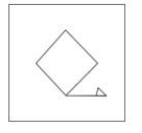
Important Questions from Hidden/ Embedded Image
Select the option figure in which the given figure (X) is embedded (rotation is NOT allowed).
Select the option figure in which the given figure (X) is embedded (rotation is NOT allowed).
From the given option figures, select the one in which the question figure is hidden/embedded. (rotation is NOT allowed)
Select the option figure in which the given figure is embedded as its part (Rotation is NOT allowed).
Select the option figure in which the given figure is embedded as its part (rotation is NOT allowed).