UPSC ESE Application Process 2027 Started; Check Direct Apply Link
UPSC IES ESE Application Form 2027 is available online from Sept 16, 2026. Eligible candidates can apply for the Engineering Services Examination through the UPSC online portal until October 6, 2026. IES 2027 application process includes registration, filling in personal and educational details, uploading the required documents, fee payment, and final submission of the form. Candidates should ensure that all details are entered correctly and the application is submitted before the last date.
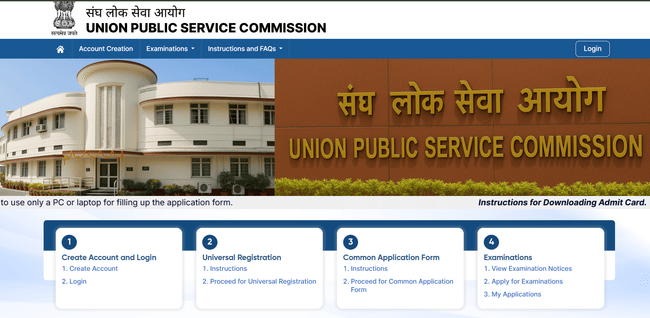
IES 2027 Application Dates
| Event | Date |
|---|---|
| IES 2027 Application Process start date | September 16, 2026 |
| IES 2027 Application Process Last Date | October 6, 2026 |
| IES 2027 Application Process Correction Window Opening | To be announced |
| IES 2027 Application Process Correction Window Closing | To be announced |
How to apply for IES 2027?
IES 2027 Application Process happens in online mode through the official website of UPSC. Candidates must go through the following stages to complete the application process. Candidates must register themselves in the One Time Portal of UPSC to apply for IES 2027 as well as other UPSC exams. Follow the below steps to register in the OTR Portal:
Step 1: Go to the official website of UPSC, upsc.gov.in
Step 2: Click on the ‘New Registration’ link. Enter your mobile number and email ID in the box displayed, to create your Profile.
Step 3: Proceed to fill the following details:
- Name of the candidate
- Date of birth
- Gender
- Category details
- Valid ID Proof details ( Voter ID/ Aadhar, etc.)
Note: The above-mentioned details cannot be edited once created. Check properly before submitting.
Step 4: After filling out the fields, click the submit button. Candidates will receive a Unique Registration number. Note down the URN and password for future reference.
After generating the OTR Profile, candidates can apply for IES exam 2027 by following the below steps:
Step 5: Login to the application portal with your credentials and click on the ‘UPSC ESE (IES) 2027’ application link.
Step 6: Proceed to fill the following details (most of them will be auto-filled through OTR):
- Personal details (auto-filled)
- Address Information
- Parents Information
- Educational information (engineering)
- Category details ( autofilled)
- Choice of discipline among Civil, Mechanical, Electrical and Electronics & Telecommunication
- Preference of services/ departments
- Choice of Examination Centre for Prelims
Step 7: Upload the necessary documents including recent photograh and signature of the candidate in PDF or image format, not between 30 kb and 70 kb.
Step 8: Proceed to pay the application fee. This is done online through Debit Card (Visa/Master/RuPay/Maestro), Credit Card, Internet Banking (through selected banks), or UPI.
Step 9: Submit the application and download the confirmation page.
IES 2027 Application Fee
Candidates must pay the application fee to complete the process. Check the table below for IES 2027 Application Fee for various categories:
| Category | Application fee |
|---|---|
| General/ OBC/ other categories | Rs 200 |
| Female/ SC/ ST/ PwBD | NIL |
IES 2027 Application Correction Window
IES 2027 Correction window will be open soon after the closing of application. Candidates can make corrections in fields like Address, Photo, Signature, Exam city preference, etc, through this window. The core fields of OTR, however, cannot be changed. Check the below steps to make modifications for IES Application:
Step 1: Go to the official website and click the ‘Modification in Application’ link.
Step 2: Login with the OTR credentials.
Step 3: Choose ‘Engineering Services Examination’ link to access the correction window.
Step 4: Change the editable areas of the application. Upload new photograph and signature if needed.
Step 5: Click the ‘I Agree’ option and submit.
Download the edited application confirmation page for future reference. Candidates can similarly download the admit card when released.
IES 2027 Exam Centres
The exam centre cities for IES Prelims are given in the table below:
| AGARTALA | CHENNAI | ITANAGAR | MUMBAI | SHIMLA |
|---|---|---|---|---|
| AHMEDABAD | CUTTACK | JAIPUR | NAGPUR | SRINAGAR |
| AIZAWL | DEHRADUN | JAMMU | PANAJI (GOA) | THIRUVANANTHAPURAM |
| ALIGARH | DELHI | JORHAT | PATNA | TIRUPATI |
| PRAYAGRAJ (ALLAHABAD) | DHARWAD | KOCHI (COCHIN) | PORT BLAIR | UDAIPUR |
| BANGALORE | DISPUR (GUWAHATI) | KOHIMA | RAIPUR | VISHAKHAPATNAM |
| BAREILLY | GANGTOK | KOLKATA | RANCHI | NOIDA (GAUTAM BUDDH NAGAR) |
| BHOPAL | HYDERABAD | LUCKNOW | SAMBALPUR | GHAZIABAD |
| CHANDIGARH | IMPHAL | MADURAI | SHILLONG | FARIDABAD |
| GURUGRAM | AGRA | GAYA | GORAKHPUR | VARANASI |
IES (Indian Engineering Services) 2027 application process will be conducted online through the official UPSC website. Candidates will need to complete a one-time registration (OTR), fill out the application form, upload documents, and pay the fee within the given timeline.
| Relevant Links | |
|---|---|
| IES Eligibility | IES Admit Card |
| IES Answer Key | IES Vacancy |
IES 2027 Application FAQs
Ques: Are any candidates exempt from paying the application fee?
Ans: Candidates belonging to the category of Female, SC/ST and PwD are exempted from paying the application fee for IES 2027.
Ques: Is the correction window facility free for all?
Ans: Yes, the correction window option for IES 2027 is free for all the candidates irrespective of the category.
Ques: Which documents will be accepted as a valid ID Proof?
Ans: Aadhaar Card / Voter ID / Passport / PAN Card / Driving License / Any Govt. issued ID will be considered as a valid ID Proof.
Ques: Can candidates pay the application fee in the offline mode?
Ans: Yes, application pay can be paid in the offline mode through E-Challan at an SBI branch.
Ques: Can PwD candidates apply for scribes during the application?
Ans: yes, PwD candidates can apply for scribed during the application process. They must submit the supporting PwD certificate as well.
Download the PREPP App and attempt FREE IES Mock Tests and get complete study material!

French revolution
Full Test - 01 : ESE Prelims Paper 2
UPSC ESE Prelims 2026 Mechanical Engineering Question Paper (08-Feb-2026)
UPSC ESE Prelims 2026 Electrical Engineering Question Paper (08-Feb-2026)

17 February 2025 | The Hindu Must Read Articles | Current Affairs

16 February 2026 | The Hindu Must Read Articles | Current Affairs

13 February 2026 | The Hindu Must Read Articles | Current Affairs









Comments