
UPSC IES ISS Application Process 2026, Apply Online at upsc.gov.in
Union Public Service Commission (UPSC) released the IES ISS 2026 application form on February 11, 2026, at upsc.gov.in. The online application window is open from February 11 to March 3, 2026. Candidates must meet the prescribed age limit and educational qualifications in Economics or Statistics to apply. IES ISS 2026 exam will be conducted from June 19 to June 21, 2026. Applicants must complete registration, upload required documents, pay the application fee, and carefully verify details before final submission.
Documents Required for IES ISS Application 2026
IES ISS application form filing requires certain documents to be uploaded. Candidates must keep the following documents beforehand:
- Photograph: A recent passport-sized color photograph scanned in JPG format, with a size between 20 KB and 300 KB.
- Signature: Scanned signature in JPG format, with a size between 20 KB and 300 KB.
- Photo Identity Proof: A valid photo ID such as Aadhaar Card, PAN Card, Passport, Voter ID, or Driving License.
- Matriculation Certificate: To verify the date of birth.
- Educational Qualification Certificates: Mark sheets and degree certificates as proof of educational qualifications.
- Category Certificate: For candidates belonging to SC/ST/OBC/EWS categories, a valid certificate issued by the competent authority.
- Disability Certificate: For Persons with Benchmark Disabilities (PwBD), a certificate issued by a recognized medical authority.
- Ex-Servicemen Certificate: For ex-servicemen claiming age relaxation, a certificate as per the Ex-servicemen (Re-employment in Civil Services and Posts) Rules, 1979.
- Email ID and Mobile Number: Valid and active email ID and mobile number for communication purposes.
IES ISS Application Process 2026
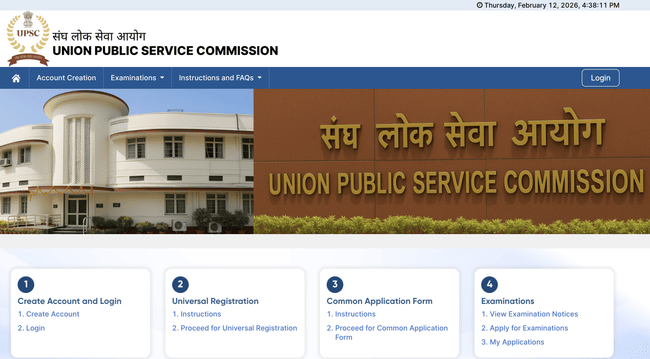
IES ISS application process will be held online through upsconline.gov.in. Candidates need to register himself/herself first at One Time Registration (OTR) (Registration) platform, available on the Commission’s website, and then proceed to fill up the online application for the examination. Candidates need to follow the steps given below:
- One-Time Registration (OTR):
Visit upsconline.nic.in and complete the One-Time Registration (OTR). This includes providing personal details, contact information, and educational qualifications. Once registered, you can apply for IES ISS exam.
- Filling the Online Application:
Log in to the OTR portal and select the IES ISS examination. Complete the application form by providing details such as educational qualifications, preferred examination centers, and uploading necessary documents.
- Payment of Application Fee:
Candidates must submit the application fee as per their category through online mode only.
- Uploading Documents:
Candidates must make sure to upload scanned copies of their photograph and signature in the specified formats and sizes. Photographs should be between 20 KB and 300 KB, and signatures should be between 20 KB and 300 KB.
- Submission of Application:
Before submitting your application form, make sure to review all the entered details carefully. Once satisfied, submit the application form. After submission, take a printout of the application form for future reference.
IES ISS Application Fee 2026
UPSC has set a different application fee for different categories, which are given below:
| Category | Application Fee (in Rs.) |
|---|---|
| Unreserved/EWS/OBC (Male only) | 200 |
| SC/ST/Female/PwBD | Nil |
Mode of fee payment:
- Online: by using Visa/Master/RuPay Credit/Debit Card/UPI Payment or by using Internet Banking of any Bank
- Offline by depositing money at any SBI Branch
Application Form Correction Window
Soon after the online application form is over, the commission opens an application form correction window for 7 days. In case candidates wish to make certain necessary corrections, they can do so during this time. Candidates can change the following:
- Names
- Gender
- Minority Status
- Class 10th Board Examination Roll No.
UPSC IES ISS application process requires candidates to complete OTR, upload documents, and pay the application fee. Candidates must ensure that the details mentioned are accurate, as they need to validate them during Document Verification (DV).
IES ISS Application Process FAQs
Ques: Can candidates make changes to their personal details in the UPSC OTR profile?
Ans: No. Candidates cannot change Name, Date of Birth, Father’s Name, Mother’s Name, Mobile Number, or Email ID in the OTR profile once submitted, as per UPSC rules
Ques: What is the role of One-Time Registration (OTR) for IES/ISS?
Ans: OTR allows candidates to create a profile on UPSC’s portal. It stores personal, contact, and educational details for applying to IES/ISS and other UPSC exams efficiently.
Ques: How many examination centers can a candidate choose?
Ans: During the application, candidates can select up to five preferred exam centers. UPSC allocates centers based on availability, location preference, and administrative convenience.
Ques: What is the recommended format for uploaded documents?
Ans: All documents, including photograph, signature, and certificates, must be scanned in JPG/JPEG format within prescribed sizes to avoid application rejection during submission.
Ques: Is it necessary to submit original documents during application?
Ans: No. Candidates only need scanned copies while applying. Originals are required later during document verification after qualifying the written examination stage.
Ques: How should candidates prepare for errors or discrepancies in the application?
Ans: Candidates should carefully review the application before final submission. Any minor mistakes can be corrected during the official correction window, ensuring eligibility isn’t compromised.
Download the PREPP App and attempt FREE IES ISS Mock Tests and get complete study material!


Comments